Maintenance Crew
For iPhone, iPad & Mac

Boat maintenance,
on your terms.

Owning a boat is a labor of love. Maintenance Crew helps you stay ahead of it — scheduled services, spare parts, and the manuals that tell you when and how — so you spend more time on the water.

Everything stays on your device. No account, no tracking — and we never sell your data.

Annual subscription · Family Sharing · iCloud Sync
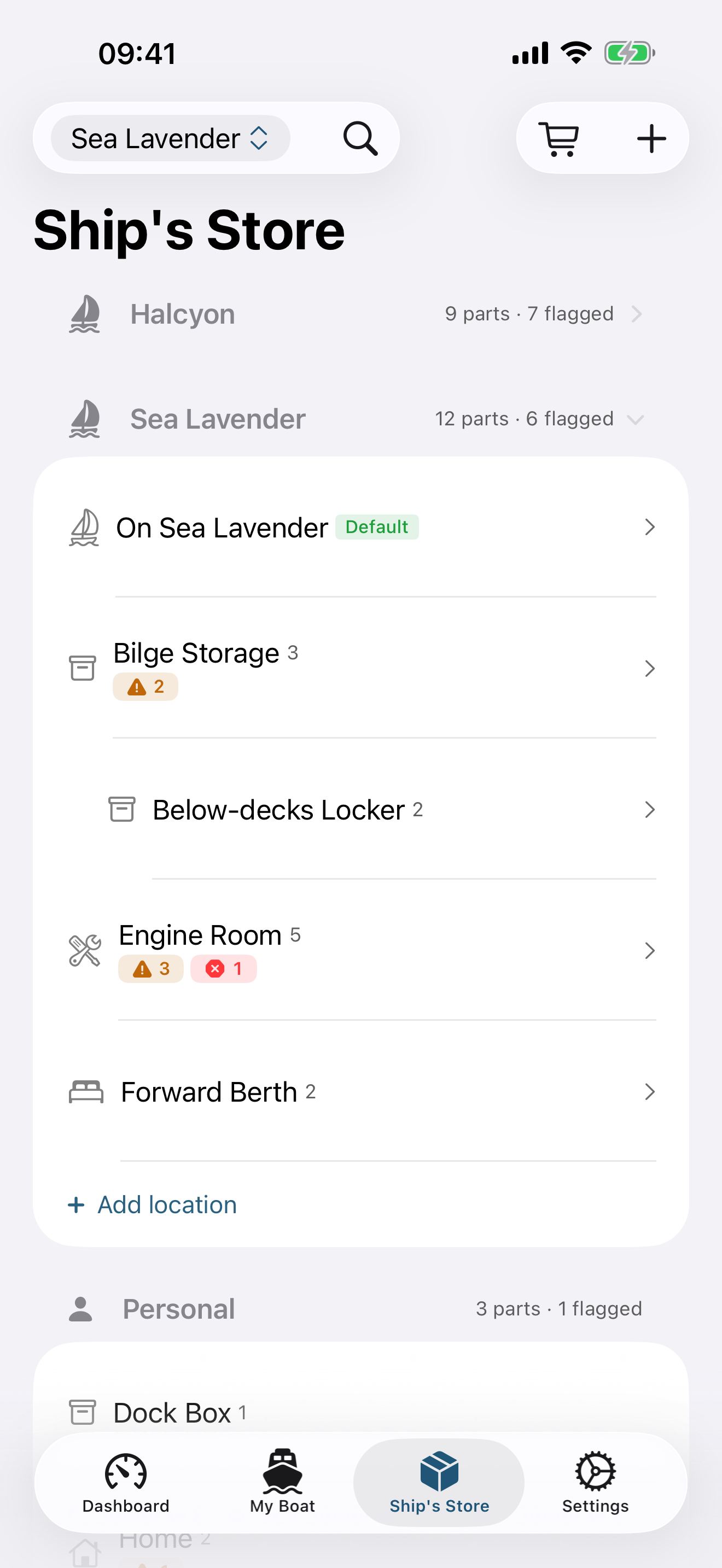
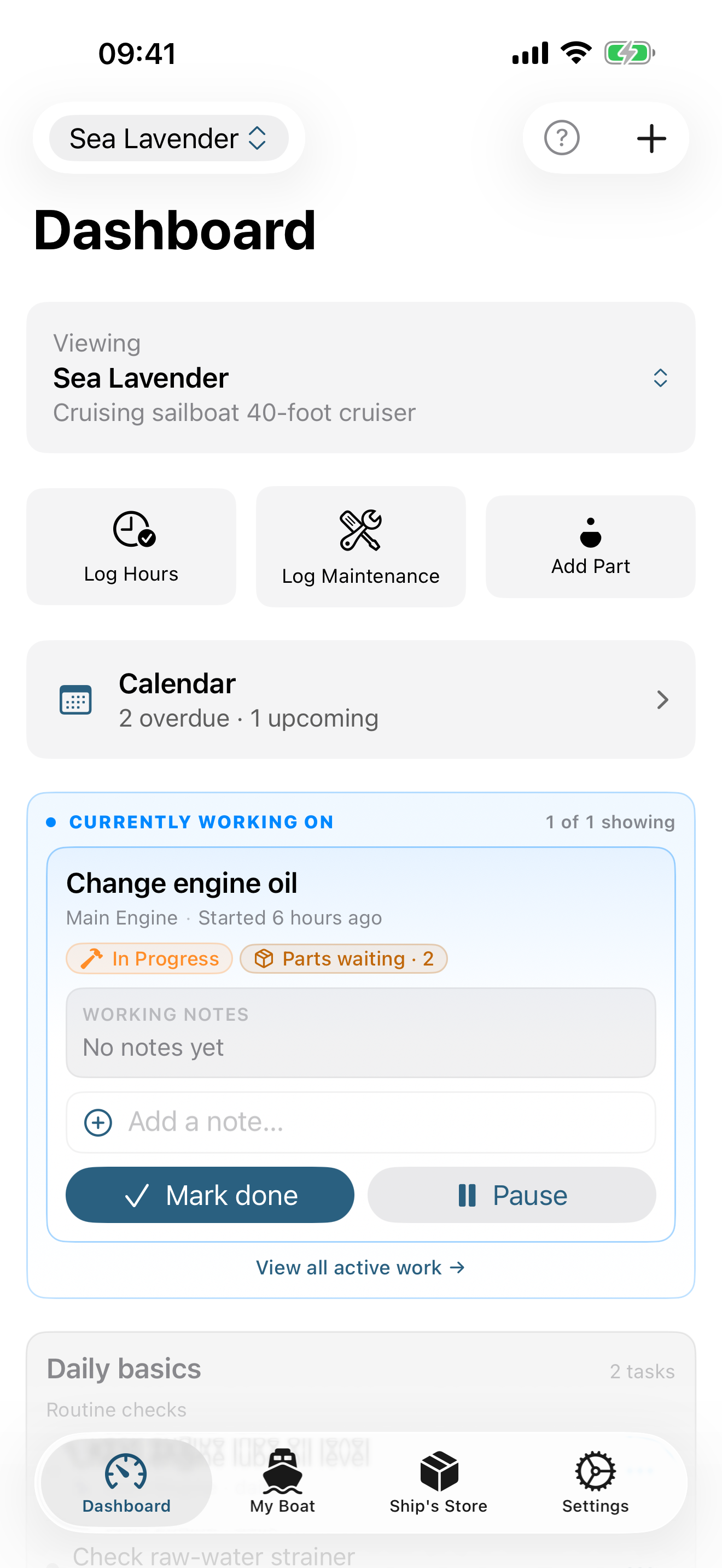
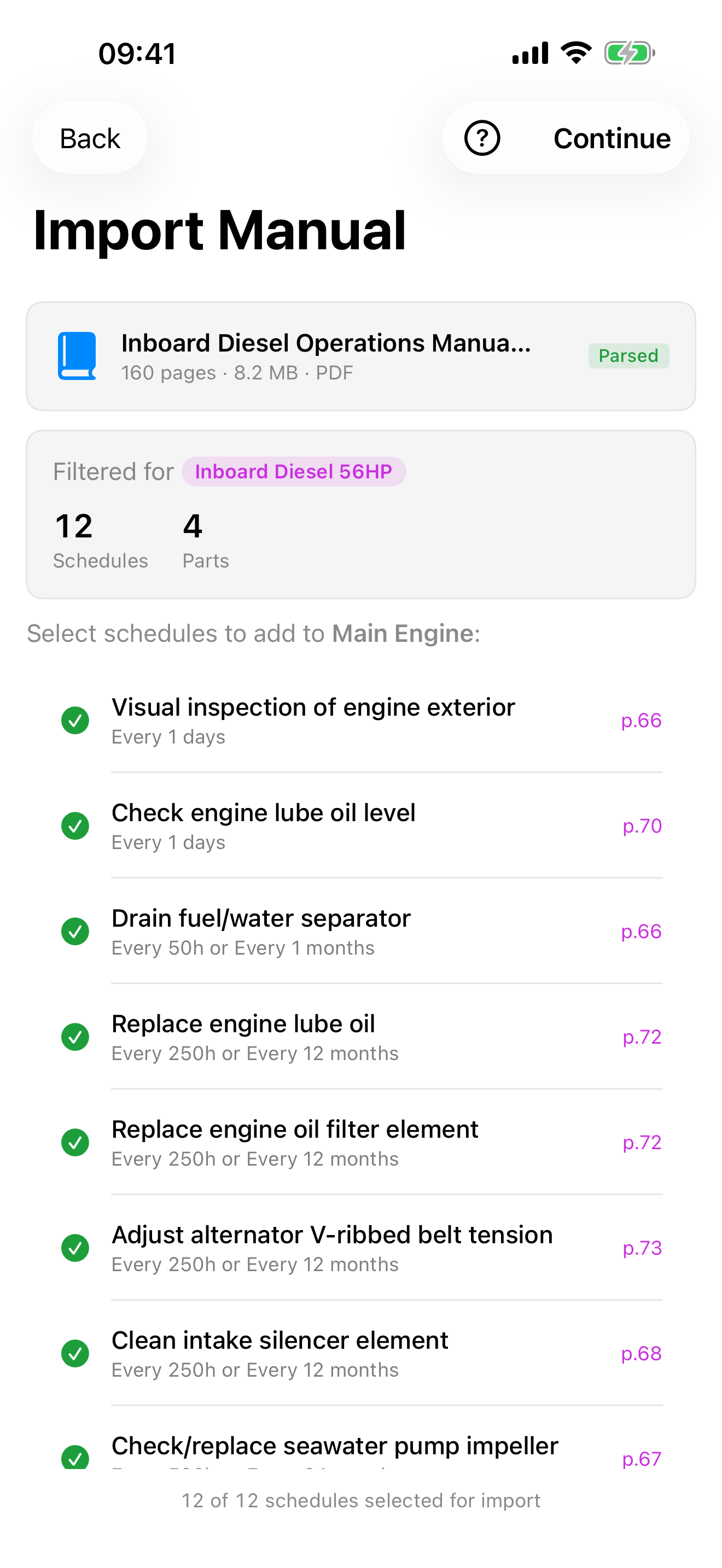
Ship's Store showing spare parts by stow location Dashboard with what's overdue, active work, the calendar, and daily basics AI-powered PDF manual parsing
What you can do

A calm, organized place for everything your boat needs.

Stay ahead of the work

Plan ahead. Stay ahead.

Set up oil changes, impeller swaps, zinc rotations, and any other recurring service. Quick-pick chips fill in common intervals. The dashboard surfaces what's overdue, what's in progress, and what's coming up — while everyday "daily basics" stay calm and out of the way.

  • See it coming on a calendar. A month and week view shows what's due, with export to Apple Calendar or Google Calendar.
  • Pull schedules from PDFs. Drop in an owner's manual and let AI extract the maintenance schedule and parts list.
  • Log a whole day at once. Tick off a whole session of finished jobs in one pass, parts and hours included.
  • Map your maintenance locations. Every completed job can carry a location and plots on a chart, with the busiest spots standing out.
Parts, stores & provisions

Track every spare part.

Catalog parts by name, part number, and supplier. Ship's Store learns how fast you actually burn through each part and flags what to reorder before your next haul — fast-moving spares rise to the top of the list.

  • Know where everything is. Organize spares by stow location and move them between locations as you use them.
  • Scan a part from its packaging. On-device recognition fills in the manufacturer, name, and part number — no typing.
  • Stock the galley. Track food, water, fuel, and supplies against a par level, or a simple Good, Low, or Out.
  • Provision for a passage. Forecast what you'll need for a trip and build the shopping list for what's short.
Safe & ready to go

Track safety gear.

PFDs, flares, fire extinguishers, EPIRBs, and batteries get their own schedules and expiry reminders — driven by the printed date or an inspection interval. Safety items are interleaved with maintenance by due date on the dashboard, never buried in a separate list.

  • Never miss a renewal. Registration and insurance renewal dates surface in your due list and departure check.
  • Know you're ready to leave the dock. Safety gear, provisions, and overdue service roll up into one departure-readiness score.
Yours alone

Stays on your boat, not our servers.

Your records live on your device — there's no account to make and nothing of yours on a server we run. We don't track you and we don't run analytics. Turn on iCloud Sync and everything stays current across your own Apple devices, and with the co-skippers you invite to a boat.

  • Share a boat with your crew. Invite a co-skipper to collaborate — private and invite-only, never a public link.
  • Add photos to anything. Attach photos to vessels, parts, and schedules — they sync right along with the record.
  • Works offline. Your records and parsed manuals are always available, with no signal required.
How it fits together

Plan a passage, start to finish.

The Trip Planner and Passage Companion are two halves of the same passage: plan it before you leave, then let the app watch it once you're underway — both reading the same galley, so nothing drifts out of sync between them.

  1. 1

    Plan the trip.

    Tell the Trip Planner your crew, your days at sea, and how far you'll be from a resupply. It forecasts every consumable with a use rate against what's aboard and builds a shopping list for anything short.

  2. 2

    Cast off, and let Passage Companion take over.

    Tap "We're off" and Passage Companion freezes what's aboard as your departure baseline, then tracks it against how your crew is actually burning through it — no daily logging required. It only speaks up when something's genuinely running short, or it hasn't heard from you in a few days. Fuel is tracked the same way, by engine hours instead of the calendar.

  3. 3

    Bring a co-skipper along.

    Share a boat and every entry your co-skipper logs syncs straight to your own Ship's Log, attributed to them. A brief notice appears the moment they make a change, wherever you're working in the app — and a durable Partner Activity feed on the Dashboard lets you catch up on their full history any time you open it, not just the instant it happens.

  4. 4

    Handle the one-off jobs and the paperwork.

    A repair that only happens once doesn't need a recurring schedule — create a one-time task with a target date, attach the part it needs, and it lands on your calendar and shopping list like anything else. And when a marina or a border crossing asks for your registration or insurance, it's a couple of taps away, photo included.

Built for every screen

At the helm or the chart table.

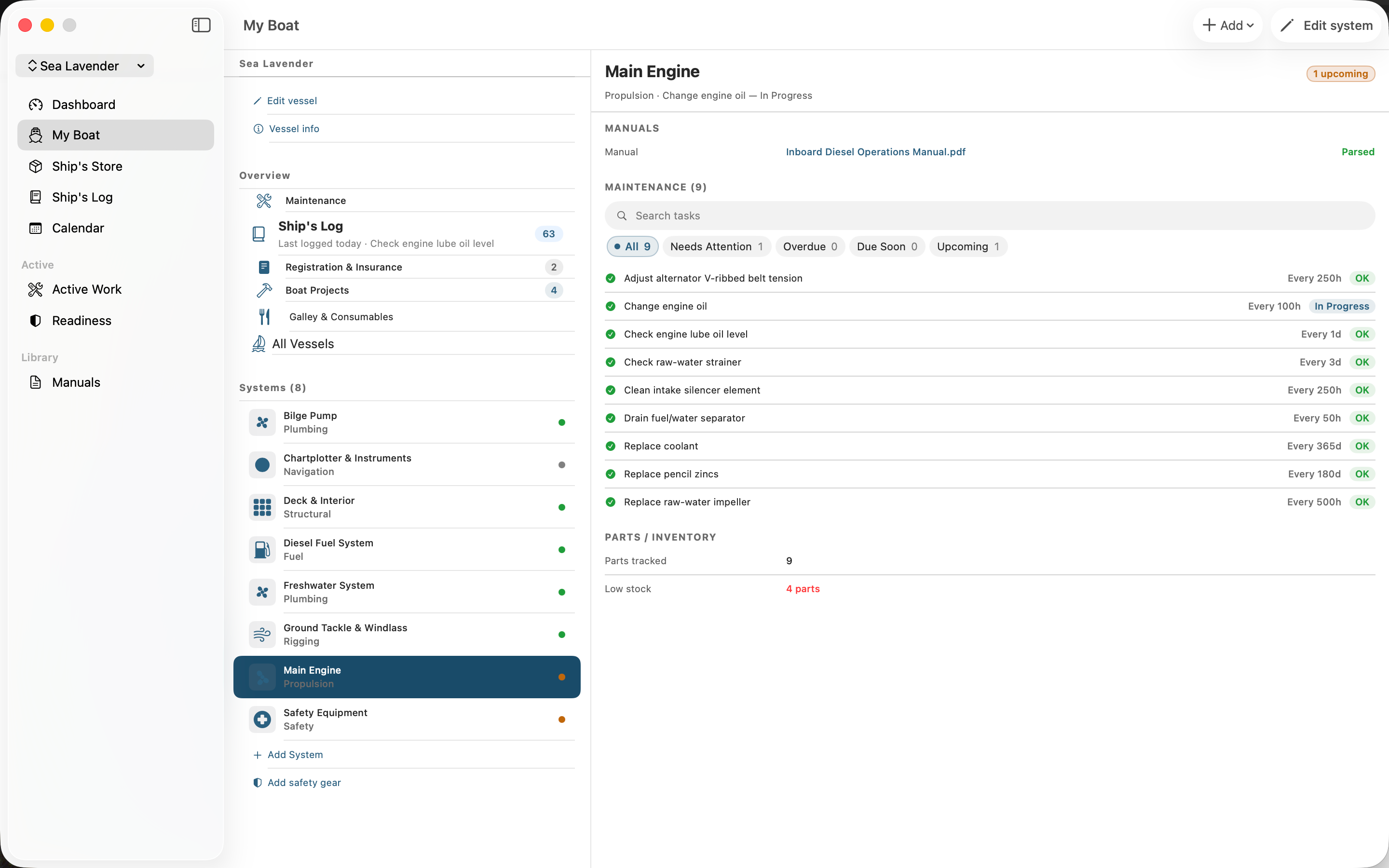
On iPhone, Maintenance Crew is a quick check between jobs. On iPad and Mac it opens up into a full three-column workspace — sidebar, list, and detail side by side — so you can plan a season, review a system, and read the manual without losing your place. Every section opens to something worth looking at, not an empty pane, and picks up right where you left off next time. The same records, synced across every device you own — and, when you share a boat, with your crew.

Maintenance Crew on Mac showing the three-column workspace: sidebar, dashboard cards, and detail pane

Maintenance Crew Annual

One annual subscription covers iPhone, iPad, and Mac, with Family Sharing and iCloud Sync. See current pricing on the App Store.

Auto-renewing subscription — cancel anytime in your Apple Account. Privacy Policy Terms of Use